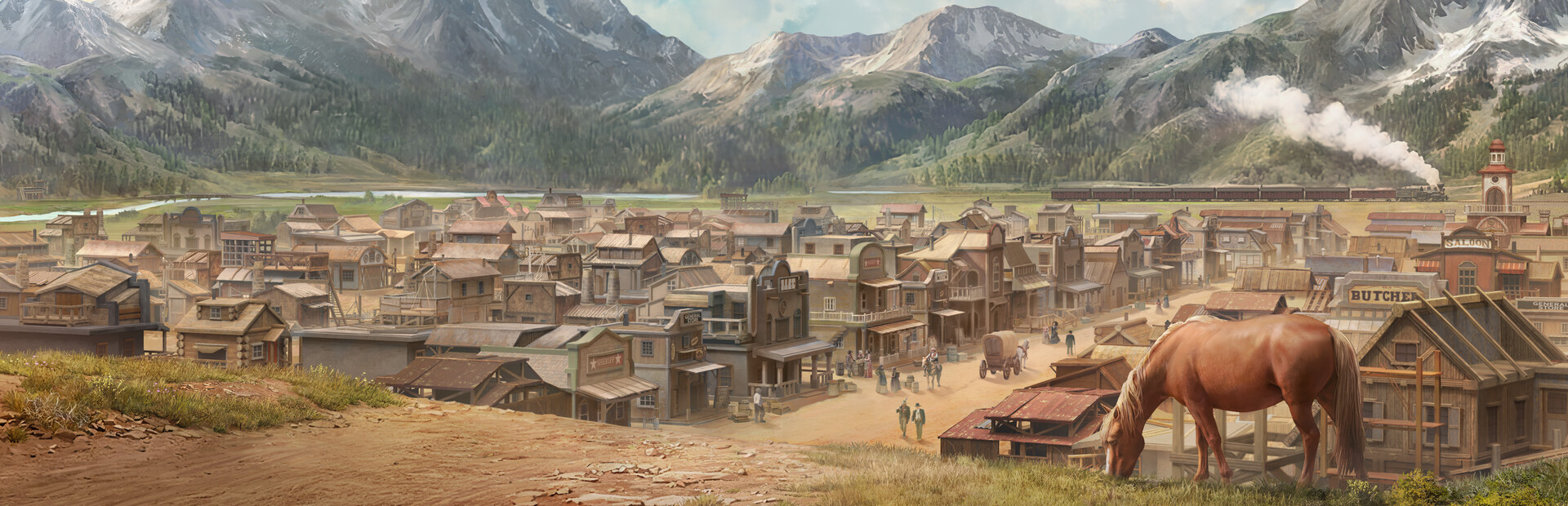
Wild West Pioneers Maps: Complete Guide to Terrain, Building, and Strategy
Quick answer
Master Wild West Pioneers maps with tips on terrain, water placement, road networks, and maximizing your frontier town's building space.
Why Wild West Pioneers Maps Matter for Your Frontier Town
Building a thriving frontier settlement from a couple of wagons into a bustling Wild West town demands more than just grit—it requires a deep understanding of the terrain you're working with. Wild West Pioneers maps serve as the foundational canvas where every road, well, tent, and production building must coexist within tight spatial constraints. According to community reports from the Steam Early Access page, players have already discovered that the way water, roads, and structures tie into one another can make or break your settlement's growth potential.
The game, developed for PC and available through Steam's Wild West Pioneers store page, entered Early Access with an open playtest that gave players their first real taste of frontier city-building. Map literacy—knowing where to place structures, how to manage limited space, and how to navigate the cartographic view—is arguably the single most important skill you can develop before the full release.
Understanding the Wild West Pioneers Maps Layout
The maps in Wild West Pioneers are designed to evoke the rugged, untamed spirit of the American frontier. Based on player experience shared during the open playtest and demo phases, the map itself has been described as visually appealing with a decent overall size. However, the challenge isn't the total acreage—it's how the game pushes buildings to be constructed in close proximity to one another.
Key Map Elements You'll Encounter
| Map Element | Description | Strategic Importance |
|---|---|---|
| Water Sources | Natural wells and water access points | Critical for tent placement and citizen survival |
| Buildable Terrain | Flat land suitable for construction | Limited near water, creating competition for space |
| Road Networks | Connect buildings for functionality | Required for production buildings to operate |
| Production Zones | Areas designated for resource generation | Must remain accessible after map reloads |
| Cartographic View | Overview mode showing the full settlement | Useful for planning, but has known transition bugs |
The interplay between these elements creates a puzzle-like experience. You're not just plopping buildings anywhere—you're solving a spatial optimization problem where every tile matters.
Map Size vs. Buildable Space
One of the most common pieces of feedback from the community highlights a disconnect between map size and usable building area:
- The overall map dimensions are considered "decent" by most players
- Water access severely limits where tents and residential structures can go
- Road requirements create additional spatial constraints
- Production buildings need to remain selectable and connected after save/reload cycles
- The game encourages dense clustering rather than sprawling expansion
This means that even though the map looks large when you open the cartographic overview, your effective buildable footprint is significantly smaller than it appears.
Water, Roads, and Infrastructure Planning
The relationship between water access, road connectivity, and building placement forms the core strategic layer of Wild West Pioneers maps. Multiple community reports from the Steam discussion boards reveal that this system has been both praised for its depth and criticized for its current implementation quirks.
The Water Placement Puzzle
One player shared a detailed experience that perfectly illustrates the water mechanic's complexity. They placed four tents in locations that all visually indicated water access from a nearby well. However, only the first two tents actually received water, forcing the construction of a second well. This inconsistency between visual indicators and actual functionality is a critical issue to understand.
| Water System Behavior | Expected Result | Actual Behavior (Community Reports) |
|---|---|---|
| Visual water range indicator | Accurate representation of well coverage | Inconsistent—some tiles in range don't receive water |
| Well placement near tents | All nearby tents receive water | Only some tents within range are serviced |
| Multiple wells | Expanded coverage area | Necessary workaround for indicator unreliability |
| Water for production buildings | Consistent supply | Reports of intermittent supply after reloads |
Road Connectivity Challenges
Roads in Wild West Pioneers aren't just cosmetic—they're functional necessities. Community reports indicate that after saving and reloading, some buildings lose their road connections entirely. This can cripple production chains and leave structures in an unusable state. Production buildings have also been reported as becoming unselectable after reloads, which compounds the problem.
Practical road-building tips based on community findings:
- Build roads before placing production structures to ensure proper connections
- Keep road networks simple and direct to minimize potential disconnection bugs
- Document your road layout before saving, so you can quickly rebuild if connections break
- Avoid complex intersections that may confuse the pathfinding system
- Regularly check that all production buildings remain selectable after each reload
Tips for Maximizing Your Wild West Pioneers Maps Space
Given the spatial constraints and the game's tendency to push dense building clusters, efficient map usage is essential. Here are actionable strategies derived from community experiences and game mechanics:
Settlement Layout Strategy
| Strategy Phase | Actions | Expected Outcome |
|---|---|---|
| Initial Planning | Survey the map for water sources and flat terrain | Identify prime building zones before committing |
| First Wave | Place tents closest to water, build minimal roads | Establish a functional starting footprint |
| Expansion | Add production buildings with direct road access | Maintain connectivity while growing |
| Optimization | Rebuild roads if connections break post-reload | Preserve production chain integrity |
| Late Game | Utilize cartographic view for macro-level planning | Identify gaps and inefficiencies |
Building Placement Priorities
When space is at a premium, the order in which you place structures matters enormously:
- Water infrastructure first – Wells should anchor your settlement layout since everything depends on water access
- Residential structures second – Tents need water proximity, so place them immediately after wells
- Roads third – Connect all existing structures before adding production buildings
- Production buildings fourth – These require both road access and consistent selectability
- Expansion structures last – Only build outward once core infrastructure is stable
Map Navigation and the Cartographic View
The map overview mode in Wild West Pioneers gives you a bird's-eye perspective of your settlement. However, community reports indicate a significant bug: players sometimes cannot transition back from the map view to their town. This can soft-lock your session and force a restart.
Workarounds for the map view transition bug:
- Save your game before entering the cartographic view
- If you get stuck, try alt-tabbing and returning to the game window
- Avoid using the map view during critical building phases
- Report instances of this bug to developers through the Steam community page
- Keep a mental note of your layout so you don't strictly depend on the overview
Known Map Issues and Community Feedback
The Early Access nature of Wild West Pioneers means that map-related bugs are expected and, frankly, part of the development process. The Steam community has been actively reporting issues, which helps the development team prioritize fixes.
Consolidated Bug Reports Related to Maps
| Bug Description | Impact on Gameplay | Reported Frequency | Suggested Workaround |
|---|---|---|---|
| Buildings lose road connections after reload | Production halts | Multiple reports | Rebuild affected roads manually |
| Production buildings become unselectable | Cannot manage production | Occasional | Reload save or restart session |
| Cannot exit cartographic view | Soft-lock | Intermittent | Alt-tab or reload previous save |
| Water indicator inaccuracy | Misplaced tents | Common | Build extra wells as backup |
| High RAM usage affecting map performance | Lag and instability | Noted in demo | Close background applications |
Performance Considerations
One particularly detailed community report noted that the demo version consumed over 70% of 32GB RAM with minimal content loaded. While this may be addressed in the Early Access release, it's worth monitoring. Map-heavy operations—like zooming, panning, and transitioning between views—can exacerbate performance issues.
Performance tips for smoother map interaction:
- Lower graphical settings if you experience stuttering during map navigation
- Save frequently to minimize loss if the game becomes unstable
- Avoid rapid view transitions that may trigger the cartographic view bug
- Monitor RAM usage during extended play sessions
- Report severe performance issues through official channels for developer awareness
FAQ: Wild West Pioneers Maps
How big are the maps in Wild West Pioneers?
Based on community reports from the open playtest, Wild West Pioneers maps are described as having a decent overall size with visually appealing terrain. However, the effective buildable area is significantly smaller than the total map footprint due to water access limitations, road requirements, and the game's tendency to encourage dense building clusters. Players have noted running out of buildable space even on maps that appear large at first glance.
Can I build anywhere on the map?
No. Building placement in Wild West Pioneers is constrained by water proximity, terrain flatness, and road connectivity. Tents require water access from wells, production buildings need road connections, and the game pushes structures to be built close together. Community feedback suggests that the visual indicators for buildable areas—particularly water range from wells—can be unreliable, so always verify that structures are actually functional after placement.
What should I do if I get stuck in the map view?
Community reports indicate that players sometimes cannot transition back from the cartographic view to their town. If this happens, try alt-tabbing out of the game and returning. If that doesn't work, you may need to reload a previous save. To prevent this issue, always save before entering the map overview and avoid using it during critical building phases. This is a known bug that the development team is likely addressing as part of the Early Access development cycle.
Choose your next move
Related Guides
Once this question is solved, continue to the next decision without returning to search.
Wild West Pioneers Game Locations: Complete Map Guide & Settlement Tips
Discover all Wild West Pioneers game locations, biomes, and settlement maps. Learn how to expand your frontier empire with strategic outpost placement.
Wild West Pioneers Game Map: Complete Frontier Expansion Guide
Master the Wild West Pioneers game map with strategies for settlement expansion, trade routes, and frontier exploration in this 2026 city builder.
Wild West Pioneers Scouts & Expeditions Guide: Exploration and New Settlements
A practical Wild West Pioneers scouts and expeditions guide for exploration, new settlements, strategic map planning, route selection, and safe expansion.